Disclosure: we make ThumbnailPeak. We didn't run Pikzels: it has no free plan, and its site doesn't say what its trial includes. Everything about Pikzels below comes from its own public pages, read signed out on 21 October 2026, and may have changed since.
Pikzels is one of the best-known AI thumbnail tools. Its home page says it's "Trusted by 856,018 Users", and it often tops lists of AI thumbnail makers. ThumbnailPeak's AI thumbnail maker, Generate, does the same job in a different way. The short version:
- Pikzels starts from your idea. You type a prompt describing the thumbnail, or paste a thumbnail that's already working and it rebuilds that format around your content.
- Generate starts from your video. You paste your video's link, or describe a video you haven't filmed, and it works out the idea from what's in it.
- Pikzels is paid only. Plans start at $28 a month billed yearly, or $40 month to month. ThumbnailPeak has a free plan with 1 generation a month.
- Pikzels makes more, faster. It can return up to 16 thumbnails per request, in three shapes, and has a title tool and an API. Generate makes one or three, in YouTube's 16:9.
What you give each one
The biggest difference is what goes in.
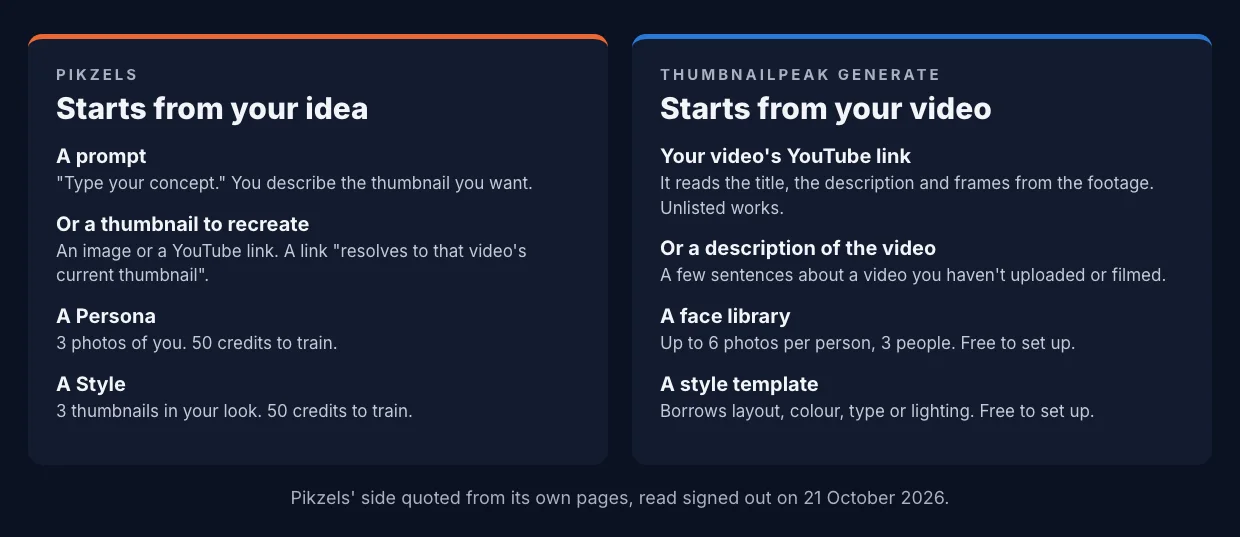
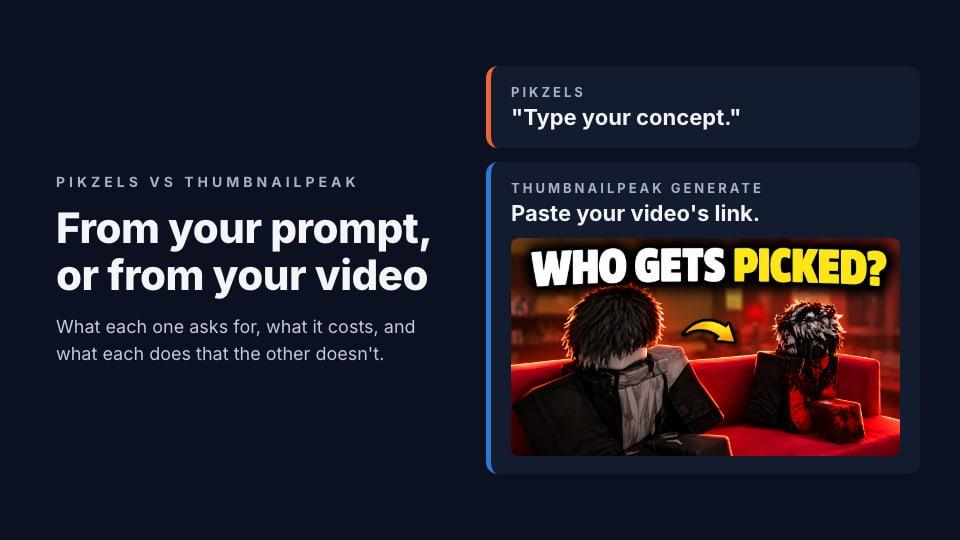
Pikzels' Prompt asks you to "Type your concept" and returns "a ready-to-upload thumbnail". That works well when you already know what the thumbnail should show. You're the art director, and the prompt is your brief.
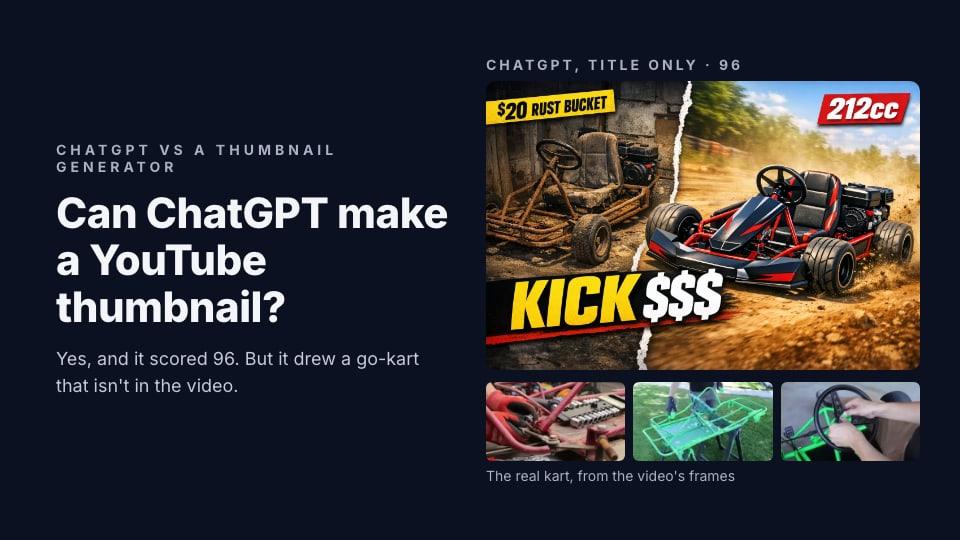
Generate's link run reads the video for you: its title, its description and frames from the footage. It then plans a concept from what the video actually contains, so the objects and places in the thumbnail are the ones in your video. When we gave ChatGPT only a title, it drew a go-kart that wasn't in the video. Reading the footage is what avoids that.
Here's a link run from a different post: a Roblox social experiment, with the video's own thumbnail first and Generate's three concepts after it, no prompt written.
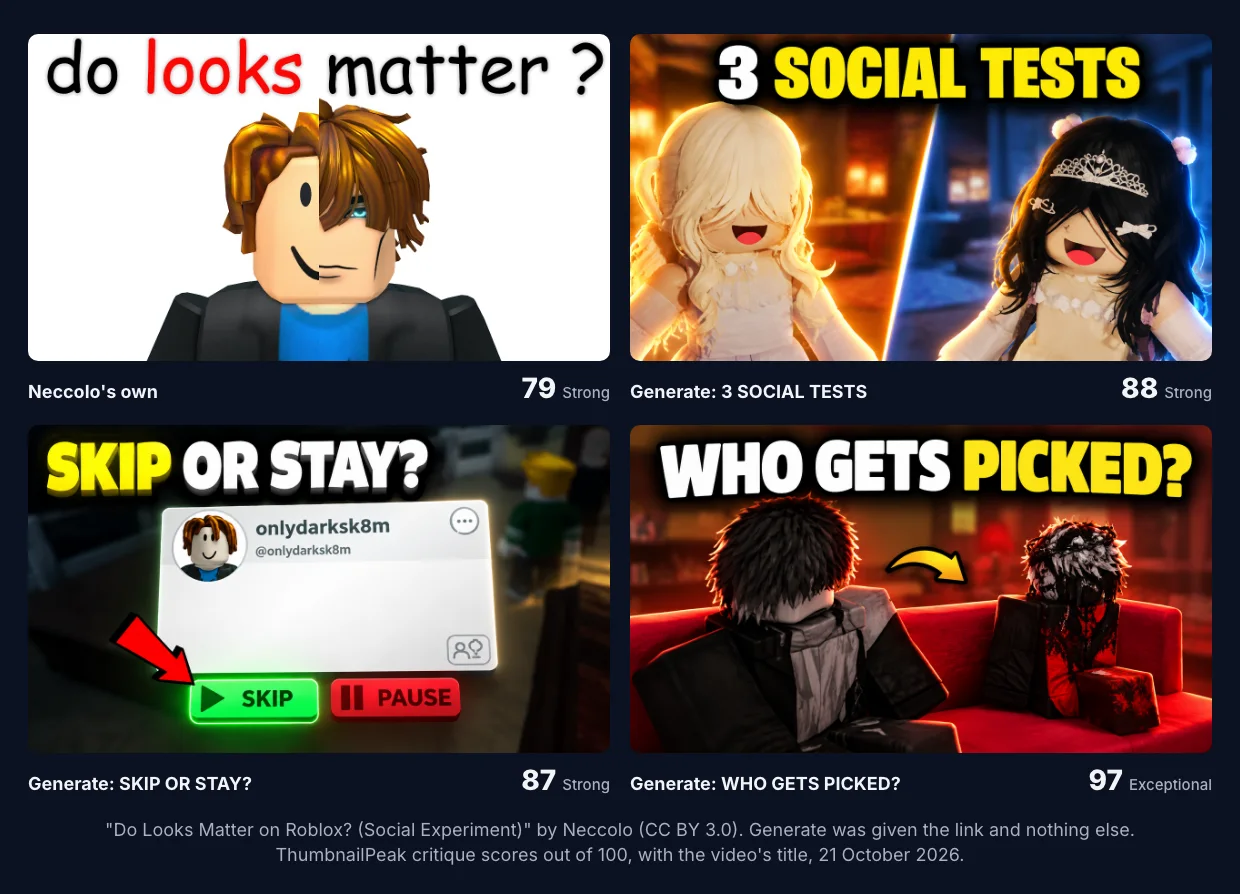
Neither way in is better for everyone. If you have the picture in your head, a prompt gets you there. If you'd rather start from the footage and see three different ideas, a link does more of the thinking.
Recreate uses someone else's thumbnail
Pikzels has a second way in, Recreate: "Spot a thumbnail that's working? Paste it. Pikzels extracts the layout & rebuilds it around your content." Its developer docs say what a link does: "A YouTube watch URL resolves to that video's current thumbnail." Its free thumbnail downloader suggests the same workflow: "Download a thumbnail you like, then paste its link into Pikzels."
So pasting a link into Recreate uses that video's thumbnail as the template, and the thumbnail you liked is often another creator's. Pikzels' terms put the responsibility on you: "Users are solely responsible for ensuring they hold the rights to any source thumbnail", and Recreate is "not to copy, clone, or pass off a third party's protected work as their own."
Borrowing a format is normal on YouTube. But a thumbnail rebuilt from someone else's layout will look like theirs in the feed, which is the opposite of what distinctiveness asks for.
A link in Generate means your video. Your current thumbnail can lend an object to a concept, but Generate won't build a concept on the thumbnail alone unless you ask it to remake it. If there's a look you want to follow, you attach a style template instead: Generate borrows its layout, colour, type or lighting, whichever you tick, and never its words or pixels.
What it costs
From Pikzels' pricing page and terms:
- Premium: $40 a month, or $28 a month billed yearly ($336). Billed yearly, you get 18,000 credits up front. Billed monthly, you get 1,000 credits in the first month, rising to 1,500 from the fourth.
- Ultimate: $80 a month, or $56 a month billed yearly ($672), with 54,000 credits a year.
- What credits buy: "1 Thumbnail costs 10-20 credits." Training a Persona or a Style costs 50 each, an analysis 5, a title 1.
- No free plan. The buttons say "Start Free Trial", but the page doesn't say how long it lasts or what it includes. Its terms say "All purchases on Pikzels are final."
At 10 to 20 credits a thumbnail, Premium's first month buys 50 to 100 thumbnails, and a year billed annually buys 900 to 1,800.
ThumbnailPeak's Generate needs a free account. The free plan includes 1 generation a month, which makes one concept; a batch of three uses two. Downloads on the free plan carry a small ThumbnailPeak mark. Paid plans raise the allowance and remove the mark. The face library and style templates are free for every account.
What Pikzels does that Generate doesn't
From its pages, Pikzels has several things we don't:
- Volume. "Up to 16 thumbnails per request", "in under 30 seconds" for most. Generate makes one or three per run.
- Other shapes. Its API lists 16:9, 9:16 and 1:1. Generate only makes 16:9 YouTube thumbnails.
- Mask editing. You "paint a mask over the area you want changed". ThumbnailPeak's Edit changes a thumbnail from a typed sentence, with no mask.
- Titles. It writes title options from a brief. ThumbnailPeak doesn't write titles.
- An API, for teams that want thumbnails inside their own tools.
It also has a thumbnail score, Pikzels Score, which we'll compare with ThumbnailPeak's critique in a separate post.
What Generate does that Pikzels doesn't
- It reads your video. Frames, title and description, so the thumbnail shows what's really in it. None of Pikzels' pages say it reads the video itself.
- It starts before the video exists. Describe a video in a few sentences and get thumbnails for it. Here's how to make a thumbnail before you film.
- It plans different ideas. A batch of three is built as three bets on different reasons to click, not three versions of one picture.
- Faces and styles cost nothing to set up. Up to six photos per person and three people per account. We tested which photos to add: one clear photo was enough to be recognisable.
- Every result is scored and can be checked in a feed. Each concept gets a full AI critique with what to fix, and one click puts it in a YouTube feed preview beside real videos.
- There's a free plan.
Two things in Pikzels' terms worth reading
- Showcasing. Its terms say "Pikzels reserves the right to display, showcase, or use for marketing purposes any work created using the Tool". On the pricing page, "All Generations Remain Private" is crossed out on Premium and included on Ultimate.
- Faces. You must not create a Persona from "a public figure, celebrity, or any other person without authorization". ThumbnailPeak asks the same: only add yourself, or people who agreed to it.
Which to choose
Pikzels suits you if you know what you want the thumbnail to show, you make a lot of thumbnails, you want many variations at once or other shapes for Shorts and social, and you're happy to pay from day one.
Generate suits you if you'd rather start from the video than from a blank prompt, you want three different ideas to choose from, you want each one scored and seen in a real feed, or you want to try it free first.
Whichever you use, read every thumbnail against your video and title before you upload.
Key takeaways
- Different starting points. Pikzels: a prompt or an existing thumbnail. Generate: your video.
- Recreate rebuilds another video's current thumbnail. Pikzels' terms make the rights your responsibility.
- Pikzels is paid only: $28 a month billed yearly, $40 monthly.
- Pikzels makes more per request and in more shapes; Generate makes one or three 16:9 thumbnails and scores each.
- Generate can start before you film, from a description.
Pikzels' details are quoted from its home, pricing, feature and FAQ pages, its developer documentation and its terms of service, read signed out on 21 October 2026. We didn't sign up for Pikzels or use it. Pikzels is a trademark of its owner, and ThumbnailPeak is not affiliated with it.
The Roblox example is from "Do Looks Matter on Roblox? (Social Experiment)" by Neccolo, published under the Creative Commons Attribution licence (CC BY 3.0). Its current thumbnail is shown as published. The generated thumbnails are adaptations made from frames of that video, shown unedited, and Neccolo did not make or endorse them.