YouTube Thumbnail Analyzer
A thumbnail rater that evaluates your design and suggests improvements.
A thumbnail rater that evaluates your design and suggests improvements.
Upload your thumbnail
Add the video's title too, if you have one — the critique then also scores how well the thumbnail fits it. No thumbnail yet? The AI thumbnail maker designs one from your video link, scored by this same critique.
Seven AI passes grade it
Each pass independently grades seven visual dimensions — ten with a title — on a five-level scale. Legibility is judged at 168×94, the size YouTube shows in the sidebar.
The score is calculated, not guessed
Code turns those grades into the 0–100 score — the AI never writes the number — and the confidence label shows how closely the seven passes agreed.
You get the fixes
Up to three, in priority order, each a specific change with the effect to expect. Make them yourself or with AI Improve, then run it again to see the score move.
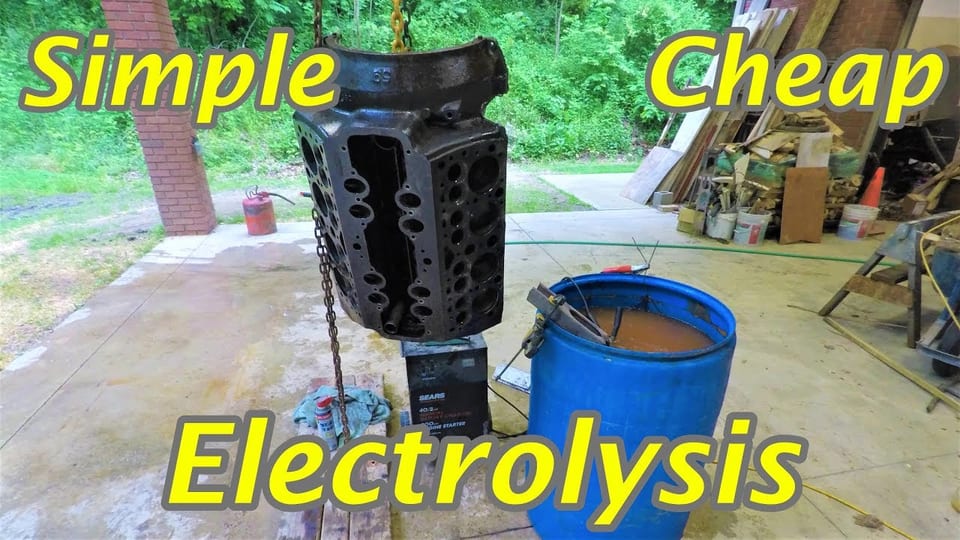
A real critique of MacroMachines' “Cleaning a 70 Year Old Engine with Electrolysis” thumbnail, run with the video's title. Open any dimension to see the evidence behind its grade.

Judged at YouTube feed sizes, including the 168×94 suggested-video sidebar.
Based on your title/summary — the tool takes your description of the video at face value.
Yours looks the same — upload a thumbnail above to get one.
Your thumbnail is judged the way viewers actually meet it: tiny, in a crowded feed, for a fraction of a second. The report scores seven visual dimensions — legibility, hierarchy, subject clarity, contrast, curiosity, distinctiveness and polish — and, when you add a title and description, three fit dimensions covering how well the thumbnail matches and reinforces them.
A 0–100 score with a plain-words band, the evidence behind every dimension, and up to three prioritized fixes — each one a concrete change with the effect you can expect, not generic advice. Run it again after editing to see the score move.
A critique uses 1 credit, and a free account comes with 12 credits; Pro adds 300 every month. Any thumbnail here can also be dropped into a real YouTube search-results preview.
Torn between two thumbnails for the same video? Upload both — or pick two of your uploads — and choose “Compare these 2”. Each one gets the full critique described above. Then a head-to-head pass looks at the pair side by side, at full size and at 168×94. It names the stronger one or calls a tie, says how decisively it wins, and lists the visible differences that decide it, next to both thumbnails' grades on every dimension.
The verdict's confidence is the weakest of three checks: how consistent each critique was, how far apart the two scores are, and whether the pick agrees with them. When the pick and the scores disagree, the report says so. A comparison uses 2 credits, and the critiques of both thumbnails are included. It judges the design, not your click-through rate — to see which one viewers actually pick, run both in YouTube's Test & Compare. Start a comparison.