Disclosure: we make ThumbnailPeak, which has its own AI thumbnail generator. We are not lawyers, and this is not legal advice. Every quote below was read on the company's or agency's own page on 1 November 2026. These pages change, so open the linked page before you rely on a rule.
Yes, AI thumbnails are allowed on YouTube. Here's the short version:
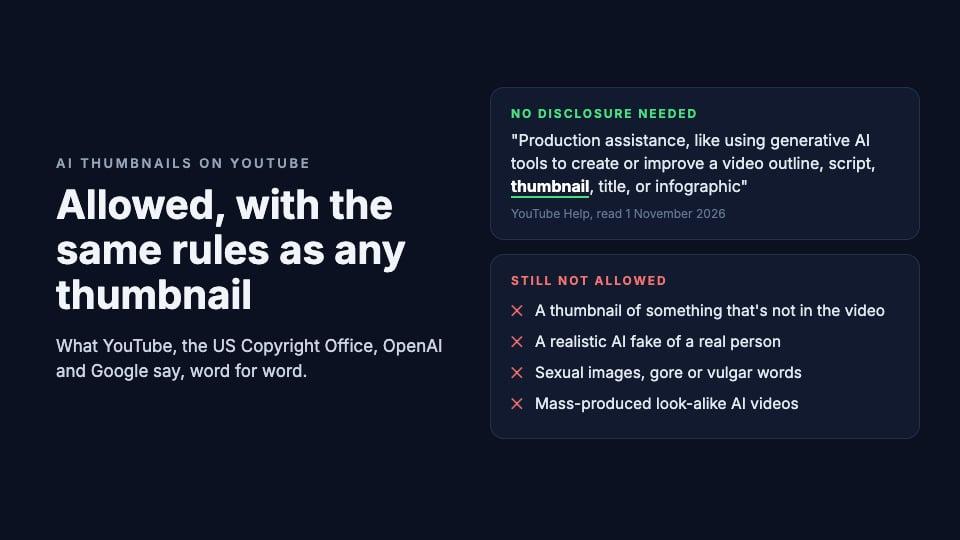
- You don't have to disclose an AI thumbnail. YouTube's disclosure page lists "using generative AI tools to create or improve a video outline, script, thumbnail, title, or infographic" among the things that need no AI label.
- The same rules apply as to any thumbnail. No sexual images, no gore, no vulgar words, and no thumbnail that "misleads viewers to think they're about to view something that's not in the video". Breaking them can cost you the thumbnail, a strike, or for repeat cases your custom thumbnails for 30 days.
- AI makes three risky things easy: drawing things your video doesn't show, faking a real person, and churning out look-alike videos. YouTube has a rule for each.
- A picture made from a prompt alone isn't protected by copyright in the US. Your own photo, your words and your edits on top of it can be.
- AI pictures carry an invisible label. Images from OpenAI and Google come with a provenance record called Content Credentials, and a hidden watermark. The thumbnail YouTube shows viewers doesn't carry the record: we checked 179 AI-looking thumbnails and found none.
Does YouTube allow AI-generated thumbnails?
Yes. YouTube asks creators to disclose AI only when it makes something look real that isn't. Its page Disclosing use of GenAI content says creators must disclose AI content that:
- "Makes a real person appear to say or do something they didn't do."
- "Alters footage of a real event or place."
- "Generates a realistic scene that didn't actually occur."
- "Creates music that's the main focus of the video."
The same page then lists what does not need disclosing. One item is "Production assistance, like using generative AI tools to create or improve a video outline, script, thumbnail, title, or infographic". Beauty filters, colour and lighting filters, background blur, captions and idea generation are on that list too.
So an AI-made thumbnail doesn't need the "AI use" setting in YouTube Studio. That setting is about the video. If the video itself shows a realistic scene made with AI, you still have to tick it, whatever made the thumbnail. And ticking it costs you nothing: "Disclosing AI content alone won't limit a video's audience or impact its eligibility to earn money."
The rules every thumbnail follows, AI or not
YouTube's Thumbnails policy is short. Don't post a thumbnail that shows:
- "Pornographic imagery"
- "Sexual acts, the use of sex toys, fetishes, or other sexually gratifying imagery"
- "Nudity, including genitals"
- "Imagery that depicts unwanted sexualization"
- "Violent imagery that intends to shock or disgust"
- "Graphic or disturbing imagery with blood or gore"
- "Vulgar or lewd language"
- "A thumbnail that misleads viewers to think they're about to view something that's not in the video"
YouTube adds that "The above list isn't complete", and that it may make exceptions for "educational, documentary, scientific, or artistic context".
What happens if you break it depends on how bad it is. A thumbnail that's borderline but not a violation may be removed, or the video age-restricted, with no strike: "If we remove a thumbnail, we let you know, and you can upload another thumbnail." A real violation is removed and "may issue a strike against your account", though a first offence usually gets a warning. Pornography can end the channel. The custom thumbnail help page adds that "Repeat offenses may lead to the removal of your custom thumbnail privileges for 30 days or even account termination."
None of this mentions AI. A thumbnail is judged by what it shows, not by how it was made.
Where AI thumbnails get creators in trouble
Three things that used to take skill now take one sentence. Each one runs into a rule.
1. Drawing something your video doesn't show
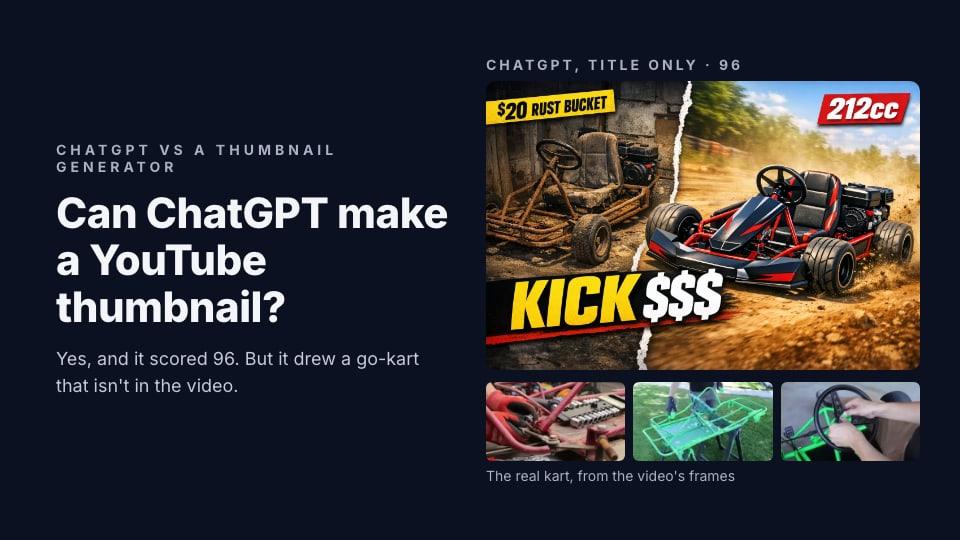
An image model will happily draw the most exciting version of your title. When we asked ChatGPT for a go-kart thumbnail with only the title, it drew a red racing kart. The video was about a green home-built one.
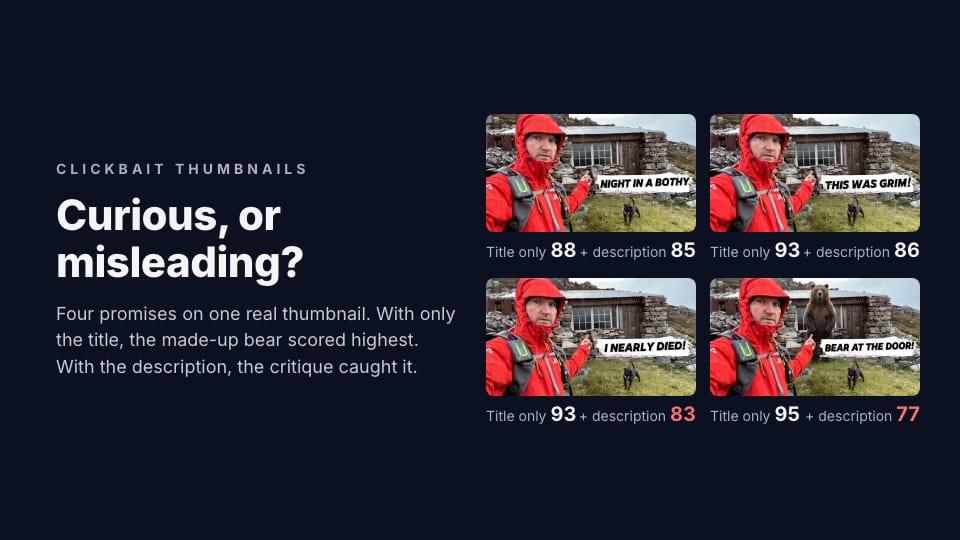
That's the last line of the Thumbnails policy: a thumbnail that "misleads viewers to think they're about to view something that's not in the video". YouTube's Spam Policy covers it too, under "Malicious clickbait": "Using maliciously misleading titles, thumbnails, descriptions, or imagery to trick users into clicking on a video that does not deliver what was promised."
A dramatic thumbnail is fine. A thumbnail of something that never happens in the video is not. Our post on clickbait thumbnails goes through where that line sits.
2. Faking a real person
The Thumbnails policy page opens with a note on impersonation, which "may also include using AI to copy the voice or likeness of an individual, to make it appear as if the channel is owned or authorized by that individual."
A person can also ask YouTube to take down an AI fake of them. The privacy guidelines say: "If someone has used AI to alter or create synthetic content that looks or sounds like you, you can ask us to remove it". To qualify, it "should show a realistic altered or synthetic version of your likeness."
And the monetization rules name the worst case. Among the things that can't earn money: "Content that uses deceptive or misleading imagery or narratives, such as realistic visuals tricking viewers into believing a fake celebrity death or natural disaster has occurred". A thumbnail of a famous actor in tears over a story that never happened is exactly that.
Your own face is different: you can't impersonate yourself. If you want yourself in AI thumbnails, use your own photos. ThumbnailPeak's Generate can put your face in every thumbnail from a library of your photos.
3. Mass-producing look-alike videos
The Spam Policy bans "Automated or synthetic mass-production: Using automated tools or AI to churn out high volumes of similar content with minimal changes." It adds that "testing out new creation tools or posting a few variations of a video is ok".
The monetization policies go further. In July 2025 YouTube renamed its "repetitious content" policy to "inauthentic content". Videos can't earn money if they're "AI-generated content made with generic or unoriginal templates giving the impression of mass production without adding the creator's original, authentic insights or perspective". Reviewers look at "Video metadata (including titles, thumbnails, and descriptions)".
That is about a whole channel, not one AI thumbnail. The same page says it allows "using AI to edit your video scripts or generate a unique background visual for your content". An AI thumbnail on a video you made yourself is fine. A thousand near-identical AI videos with near-identical AI thumbnails is what the rule is for.
Ads are judged on the thumbnail too
If you earn from ads, the advertiser-friendly guidelines count the thumbnail: "Our policies apply to all portions of your content (video, Short, or live stream, thumbnail, title, description, and tags)." They name "Stronger profanity (like f*ck) used in thumbnails or titles" and "Graphic game violence in the thumbnail or in the first seven seconds of the video" as reasons a video can get limited ads.
Copyright: who owns an AI thumbnail?
Two different questions get mixed up here: whether the tool lets you use the picture, and whether the law protects it.
The tools hand it to you. OpenAI's Terms of Use say "you … own the Output. We hereby assign to you all our right, title, and interest, if any, in and to Output." Google's Terms of Service say "Google won't claim ownership over that content." Both also say other people may get similar pictures. OpenAI: "output may not be unique and other users may receive similar output".
The law may not protect it. In the US, the Copyright Office's January 2025 report on copyrightability is still its latest word. It says:
- "Copyright does not extend to purely AI-generated material, or material where there is insufficient human control over the expressive elements."
- "Based on the functioning of current generally available technology, prompts do not alone provide sufficient control."
- "Human authors are entitled to copyright in their works of authorship that are perceptible in AI-generated outputs, as well as the creative selection, coordination, or arrangement of material in the outputs, or creative modifications of the outputs."
In plain words: if you typed a prompt and uploaded what came back, you probably can't stop someone from copying that picture. If the thumbnail has your own photo in it, words you chose and placed, or real edits you made, those parts are yours. Other countries handle this differently, and YouTube's copyright page says so: "different countries/regions are taking different approaches. In general, copyright protects human creations."
That page also says what happens if you try to claim one: "if a copyright removal request is submitted for content that appears to be made by AI, we may ask for more details or may not be able to process the request as a copyright issue."
Other people's work is still theirs. An AI picture of a famous movie character, a game's hero or a brand's logo can still break someone else's rights. YouTube's copyright myths page is blunt: "Giving credit to the copyright owner doesn't automatically give you the rights to use their copyrighted content." Its fair use page adds: "There aren't any magic words to automatically apply fair use". Logos fall under trademark, where "your videos can be blocked" if the use "might cause confusion".
The invisible label inside AI pictures
Most AI image tools now hide a record of where a picture came from inside the file. There are two kinds:
- Content Credentials, also called C2PA. A signed note in the file's data that says which tool made it and when. Anyone with a reader can open it, but it's easy to lose: OpenAI's help page says it "can be lost through everyday actions, such as taking a screenshot or converting a file."
- A watermark in the pixels. Google's SynthID changes the image itself in a way people can't see but a detector can. OpenAI now adds SynthID too.
OpenAI says images "generated with ChatGPT, Codex, or the OpenAI API include both signals", with an exception for older models it's about to retire. Google says every Nano Banana image from its developer tools gets a SynthID watermark, and its cloud platform adds signed Content Credentials. The Gemini app adds SynthID and a visible watermark.
ThumbnailPeak's Generate, Improve and Edit use OpenAI's image model, so our pictures carry this record too. We opened one of our stored PNGs, a go-kart thumbnail Generate made for our ChatGPT test, and found the Content Credentials block inside. A Free download carries our wordmark, which makes it a new file: it loses that block and gets a plain-text AI label in its metadata instead.
What YouTube does with it. YouTube reads Content Credentials on videos. Its disclosure page says it may add an AI label automatically to "Content that contains C2PA metadata", and the creator can't remove that label. No YouTube page says whether it reads them in a thumbnail.
So we checked what viewers actually get. We downloaded the thumbnails YouTube serves for 179 breakout videos whose thumbnails looked AI-made, on 1 November 2026. Not one carried Content Credentials. In fact the files held no metadata at all, only the image. Whatever was in the file you upload, the copy viewers see doesn't carry it.
None of these labels decides who owns a picture. OpenAI's page answers that directly: "Do watermarks determine authorship, ownership, or legal responsibility?" "No."
Before you upload an AI thumbnail
- Is everything in it in the video? The subject, the scene, the result. If the AI drew a better car, a bigger fish or a moment that never happens, change it. Attach real frames or use a tool that reads your video.
- Is there a real person in it who isn't you? Don't put words in their mouth or tears on their face. If the video itself shows realistic AI scenes, tick "AI use" in YouTube Studio.
- Would it pass without AI? Nothing sexual, no blood or gore, no swearing. The rules are the same.
- Is anything in it someone else's? Characters, logos, a movie still: AI doesn't make them yours.
- Make it yours. Your photo, your words and your own edits are what copyright can protect, and they're what make a thumbnail look like your channel rather than everyone's.
- Check it at the size viewers see. Preview it in a real YouTube feed, next to the videos it will compete with.
If you'd rather not write prompts at all, ThumbnailPeak's AI thumbnail generator starts from your video's link, so it draws from your own frames instead of imagining them. A free account comes with 12 credits; one thumbnail uses 3.
Key takeaways
- AI thumbnails are allowed, and YouTube lists them as production help that needs no disclosure.
- The usual rules apply: no sex, gore or swearing, and nothing that isn't in the video.
- Real people are the big risk. YouTube removes realistic AI fakes of a person on request.
- Prompt-only pictures aren't protected by US copyright. Your own photo, words and edits can be.
- AI pictures carry a hidden record, but the thumbnail YouTube serves doesn't: none of the 179 we checked had one.
Sources, all read on 1 November 2026: YouTube Help pages "Disclosing use of GenAI content" (answer 14328491), "Thumbnails policy" (9229980), "Add video thumbnails" (72431), "Spam Policy" (2801973), "YouTube channel monetization policies" (1311392), "Advertiser-friendly content guidelines" (6162278), "YouTube Privacy Guidelines" (7671399), "Copyright on YouTube" (2797466), "Common copyright myths" (2797449), "Fair use on YouTube" (9783148) and "Trademark" (6154218); the US Copyright Office's "Copyright and Artificial Intelligence, Part 2: Copyrightability" (29 January 2025); OpenAI's Terms of Use (effective 1 January 2026) and its help page "Provenance signals in OpenAI-generated content"; Google's Terms of Service (effective 30 July 2026), the Gemini API image generation guide and Google Cloud's Content Credentials page. The thumbnail check downloaded the largest copy YouTube serves (maxresdefault, else hq720 or hqdefault) for 179 breakout videos from ThumbnailPeak's Breakouts whose thumbnails we had labelled as clearly AI-made, and looked for a Content Credentials (JUMBF) segment in each file. ThumbnailPeak is not affiliated with YouTube, OpenAI or Google.