Disclosure: we make ThumbnailPeak, and this post tests its critique and Edit. Every score below is what the critique returned on 22 October 2026, on our own account. Camper Space Secrets' thumbnail is published under a Creative Commons licence; the two changed versions are ours, and the channel didn't make or approve them.
Composition is where things go in the frame: the subject, the words, the space around them. On a thumbnail, it has one job. In the second a viewer gives it, their eye should land on one thing, and that thing should tell them what the video is about.
Here's what we found when we measured it:
- "Establish a single focal point" is our critique's most common fix. 28% of the 4,925 thumbnails critiqued on ThumbnailPeak got it, and 46% got at least one fix about where the eye goes first.
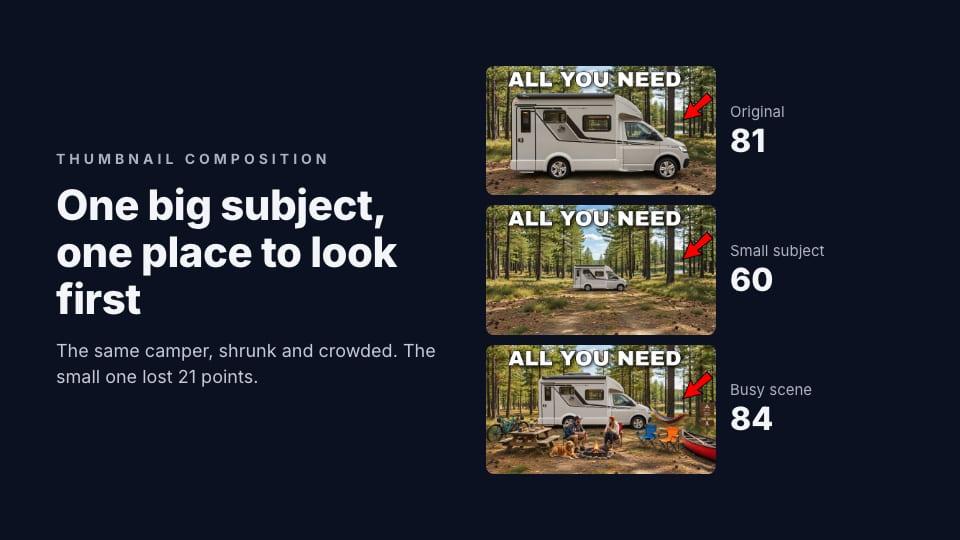
- A small subject cost the most. We shrank a camper van to a third of its size in its own thumbnail. The score fell from 81 to 60.
- Clutter cost less than you'd think. Filling the same scene with people, bikes and a canoe scored 84, about the same as the original. But it drew a fix to pick one focal point, and a flag for an arrow that no longer pointed at the camper.
- Breakouts weren't simpler. Across 3,523 channels, breakouts had slightly more detail than the same channel's ordinary thumbnails, not less. What they had was a clear subject.
The fix the critique gives most
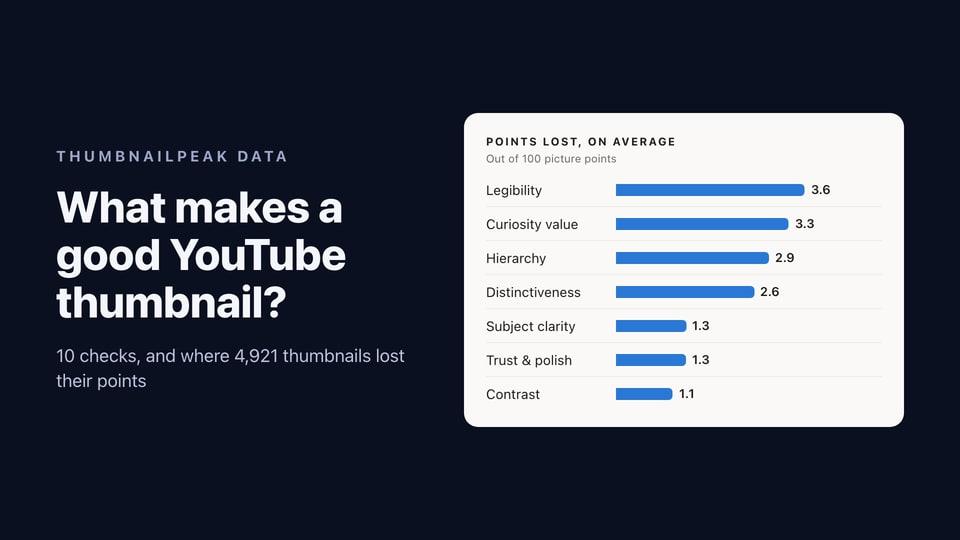
ThumbnailPeak's AI critique grades a thumbnail on ten checks and suggests up to three fixes. Across 4,925 thumbnails critiqued from 15 August to 22 October 2026, the most common fix was the same one:
Establish a single focal point.
28% of thumbnails got it. Add the related fixes (make the main subject bigger, simplify the background, separate the subject from it) and 46% got at least one fix about where the eye should go first. Only 47% got the critique's top grade for hierarchy: one thing clearly dominating, so the viewer knows where to look.
The usual cause isn't a messy picture. It's two things of equal weight: a face and a product the same size, a headline as loud as the subject, an arrow pointing somewhere else. In our Stranger Things teardown, five equally lit faces got this exact fix; brightening one and dimming the other four took the thumbnail from 85 to 94.
One camper, three compositions
To see what each kind of problem costs, we took Camper Space Secrets' thumbnail for "This Small Camper Has Everything You Need": a white camper van in a pine forest, "ALL YOU NEED" across the top and a red arrow. With ThumbnailPeak's Edit, we made two versions:
- Small: the same camper at about a third of its size, further back in the clearing.
- Busy: the same camper at the same size, surrounded by two people, a dog, a picnic table, bikes, a campfire, a hammock, chairs and a canoe.
Then we critiqued all three with the video's title.
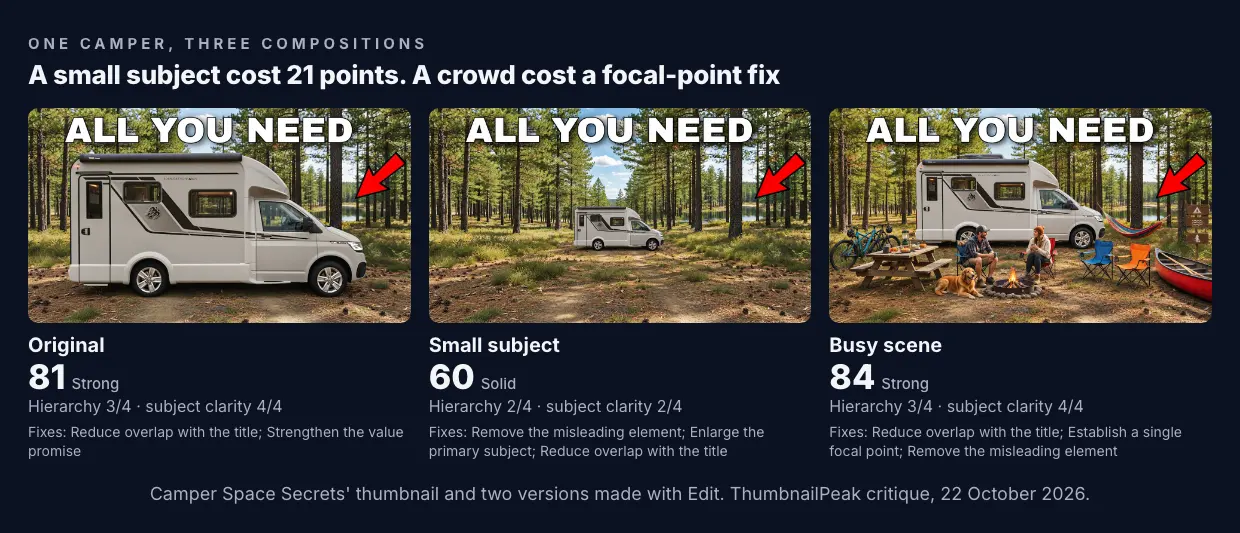
Small: 60. Everything else was the same, but the camper took up a fraction of the frame. The critique's grades for hierarchy and subject clarity both fell to 2 out of 4: "The camper is clearly visible but occupies a small area against a much larger forest scene." Its fix was to "crop tighter around the camper and enlarge it." And because the camper moved but the arrow didn't, the arrow now pointed at trees, which the critique flagged as misleading.
Busy: 84. The camper was still big and clear, so subject clarity kept the top grade. The critique noticed the crowd: "The hammock, people, fire, bikes, canoe, and arrow compete for attention below the headline." Its fix was to "reduce or crop out secondary props". It also marked the thumbnail down for looking "promotional rather than focused", and flagged the arrow, which now pointed at a hammock.
Original: 81. The camper fills the lower half of the frame, with the red arrow beside it and a big headline above. Its fixes weren't about composition at all. They were about the words, which repeat the title, and about showing what's inside.
Scores move by up to about 5 points between runs, so 81 and 84 are the same. 60 is not. The lesson: on a small screen, a small subject is worse than a crowded one, as long as the subject stays the biggest thing in the frame.
Breakouts weren't simpler
"Keep it simple" is the most common composition advice, so we checked whether breakouts are simpler than other videos.
We took ThumbnailPeak's Breakouts sample from 22 October 2026: 3,523 channels with a recent video that got at least three times the channel's usual views. For each, we compared the breakout's thumbnail with four of the channel's ordinary recent videos, one pair at a time, measuring how much fine detail each picture has.
The breakouts had more detail than their channel's ordinary thumbnails in 52% of pairs, and less in 46%. It's a small difference, but it's the opposite of simpler. Breakouts aren't empty pictures. They're pictures where one thing is clearly the subject, whatever else is in the frame.
Where things go
There's no single right place for the subject. Of the thumbnails in the sample with a face covering at least 2% of the picture, the biggest face was in the left third 32% of the time, the middle third 34% and the right third 34%. Successful thumbnails put people anywhere.
How big is the subject? On thumbnails with a face, the biggest face covered a median of 4.5% of the picture, and 1 in 10 covered more than 12%. That's smaller than "fill the frame with your face" suggests, because the face is often one part of a scene: a person beside a car, a hut, a loaf of bread.
Two places do matter:
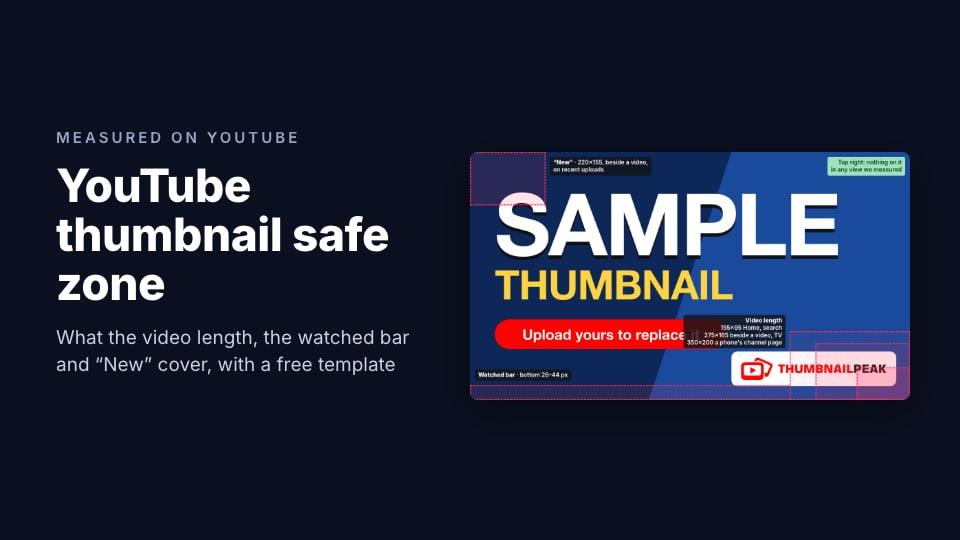
- The bottom-right corner. YouTube draws the video's length there, and the badge doesn't shrink with the thumbnail. On a phone's channel page, it covers the bottom-right 350×200 of a 1280×720 design. 23% of the thumbnails we measured had headline words reaching into that corner. Keep words, prices and faces out of it. Our safe zone template marks the exact areas.
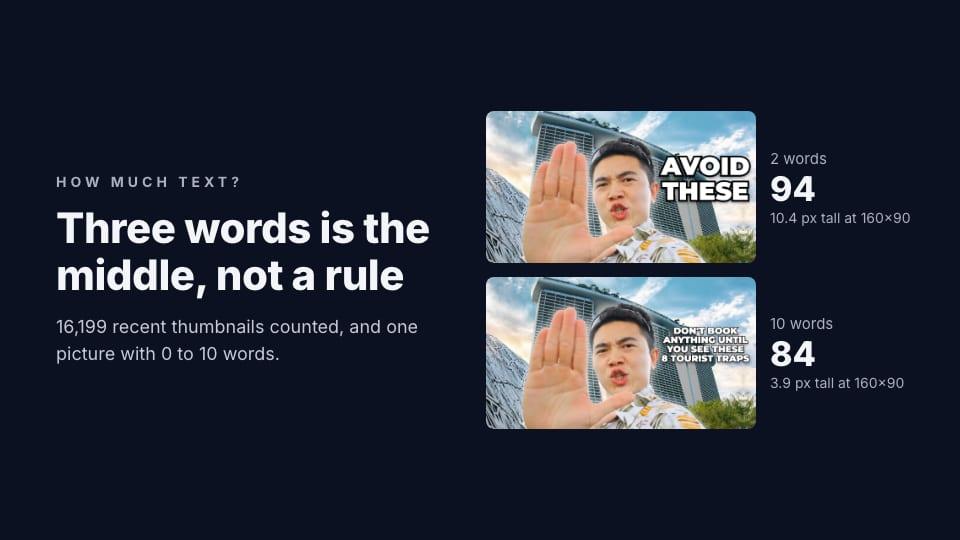
- The space for the words. A thumbnail with words needs somewhere calm to put them: sky, a wall, a blurred background. In our text test, we put the words in the open sky beside the creator, where nothing competed with them.
Empty space is for something
The old advice about "negative space" holds, with one change: on a thumbnail, empty space isn't there to look elegant. It's there to make the subject bigger by comparison, or to hold the words. A big empty area with nothing to do just makes the subject smaller, which is what cost the small camper 21 points.
How to compose a thumbnail
- Decide what the eye should land on first. One subject: a face, an object or a moment. Everything else is supporting cast.
- Make it the biggest thing in the frame. Crop in until it is. On a phone it's 160 pixels wide on a channel page.
- Make the second thing clearly smaller. If the words and the subject are equally loud, make one of them quieter.
- Point everything at the subject. An arrow, a gaze or a gesture should lead to the subject, not past it.
- Keep the bottom-right corner clear. That's where YouTube shows the video's length.
- Check it small. ThumbnailPeak's thumbnail tester shows your thumbnail in a YouTube feed on a phone, a computer and a TV, free, and the critique tells you whether one thing clearly leads.
Frequently asked questions
Should I use the rule of thirds for YouTube thumbnails?
You can, but successful thumbnails don't follow it in any measurable way. In our sample, the biggest face was in the left, middle or right third about equally often. What matters is that the subject is big and clearly the first thing you see.
How big should the subject be in a thumbnail?
Big enough to be the largest thing in the frame and recognisable at 160 pixels wide. In our test, shrinking a camper to a third of its size dropped its score from 81 to 60.
Is a busy thumbnail bad?
Not by itself. Breakouts had slightly more detail than their channel's ordinary thumbnails. A busy thumbnail is a problem when the extra things compete with the subject or point away from it.
What should I keep out of the corners?
Keep words and faces out of the bottom-right corner, where YouTube shows the video's length, and out of the top-left beside a video, where new uploads get a "New" label for a few days.
How we did it: the thumbnail is Camper Space Secrets' "This Small Camper Has Everything You Need", published under CC BY 3.0; we made the small and busy versions with ThumbnailPeak's Edit, one request each. Each version was critiqued once with the video's title on 22 October 2026. The 3,523 channels and 17,609 thumbnails come from ThumbnailPeak's Breakouts sample that day: for each channel with a video published 2 to 20 October at three times or more its usual views, that breakout and four recent ordinary uploads (0.5 to 1.5 times its usual views). Detail is the average brightness change between neighbouring pixels at 320×180. Faces and words were found with Apple's Vision framework at 640×360 on our own computer; headline words are lines at least 8% of the picture's height. The ThumbnailPeak counts cover thumbnails critiqued from 15 August to 22 October 2026, each picture once, with our own account's critiques left out.