Disclosure: we make ThumbnailPeak, and this post uses its Channel preview and critique. Walk With Wallace's thumbnails are published under a Creative Commons licence; the neon version is ours, and he didn't make or approve it.
Thumbnail branding is what lets a viewer spot your video before they read your name. Your subscribers see your thumbnails in their feed, on your channel page and beside your other videos, and a consistent look tells them it's you.
It's also easy to overdo. Make every thumbnail the same and a new video looks like one they've already watched. Here's what we found:
- Channels have a look. We measured how alike thumbnails are, using an on-device image comparison. Two thumbnails from the same channel were more alike than 95% of random pairs of thumbnails 79% of the time.
- Breakouts kept the look. In 3,523 channels, the video that broke out looked as much like the channel's usual thumbnails as they looked like each other. It had the same number of words, the same faces and the same colours.
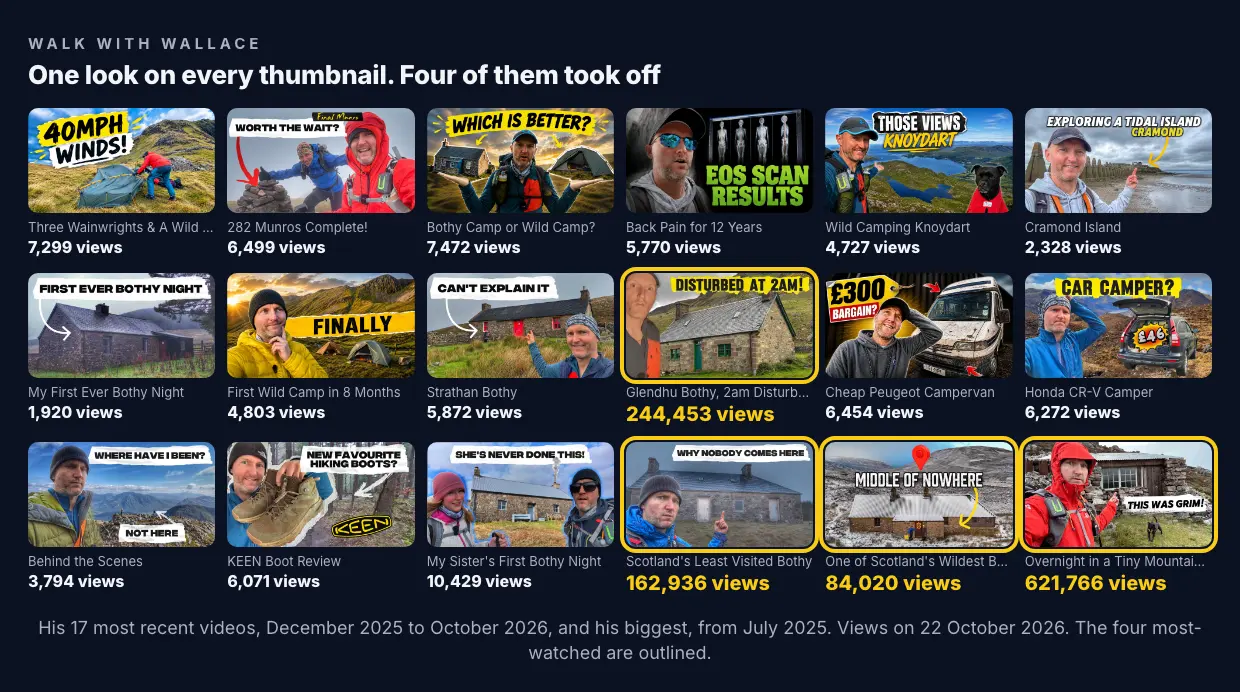
- What breaks out is the idea, in the usual packaging. Walk With Wallace's thumbnails all look alike. His four most-watched videos look like the rest. What they share is a story about a night in a mountain hut.
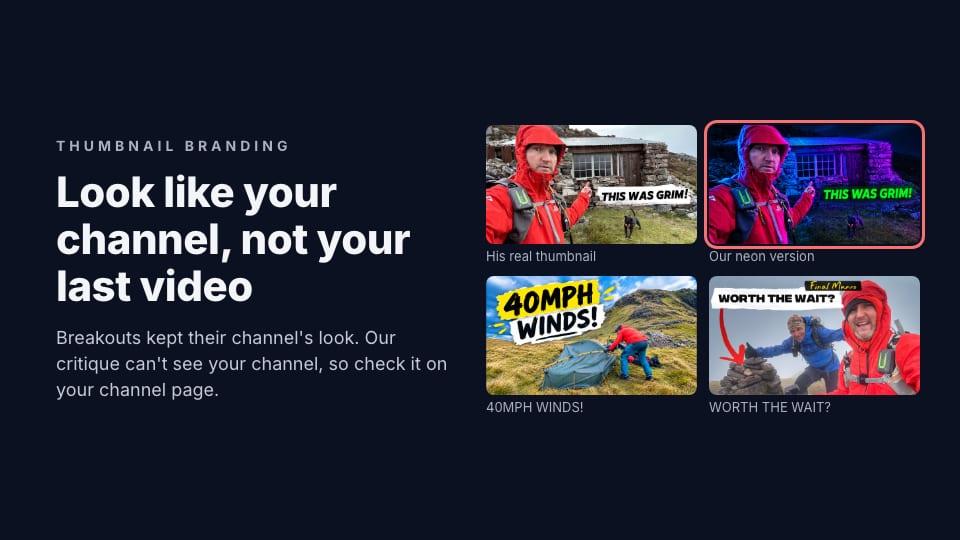
- Our critique can't judge this part. We restyled one of his thumbnails in neon, a look his channel never uses. The critique scored it 97, four points above the real one, because it judges each thumbnail on its own. To see whether a thumbnail fits your channel, you have to see it on your channel.
What a channel's look is made of
Walk With Wallace is a Scottish hiking channel with about 20,000 subscribers. Scroll his Videos tab and the look is obvious within a few thumbnails:
- His face, close to the camera, usually in a red rain jacket or a beanie.
- A place: a stone bothy (a free mountain hut), a tent or a summit.
- A label: a few words in black block capitals on a torn white or yellow paper strip.
- Often an arrow or a pointing finger, aimed at the place.
None of that is a logo. It's a few choices he makes the same way every time, so a subscriber can spot his video in a feed at a glance.
A look can be made of almost anything a viewer can see at thumbnail size: a face, a colour, a font, a kind of shot, where the words sit. What it shouldn't depend on is anything too small to see at 160 pixels wide, which is how big a thumbnail is on a phone's channel page. A corner logo usually is.
Breakouts didn't break the look
If a channel's look were holding it back, you'd expect its breakouts to look different. They didn't.
We took ThumbnailPeak's Breakouts sample from 22 October 2026 and found 3,523 channels with a recent video that got at least three times the channel's usual views. For each, we compared that breakout's thumbnail with four of the channel's ordinary recent videos, the ones that got about its usual views.
- How alike they looked: the breakout was further from the channel's usual thumbnails than they were from each other in 51% of channels, and closer in 49%. A coin toss.
- What was in them: the breakouts had the same number of headline words, the same share of faces and the same brightness and colour as the ordinary videos, each within about two points.
So most breakouts look like the channel's other videos. The look got them recognised; the idea and the promise got them clicked.
Walk With Wallace shows it. His recent videos usually get around 6,000 views. Four have got far more: "Overnight ALONE with my Dog in a TINY Mountain Bothy" (more than 600,000), "A Night at Glendhu Bothy With a 2am Disturbance!!" (244,000), "Alone in Scotland's Least Visited Bothy" (163,000) and "Hiking Into One of Scotland's Wildest Bothies" (84,000). Their thumbnails look exactly like his other ones: his face, a stone hut, a black-on-white label. They're all about a night in a bothy, and three of the four labels promise trouble or a mystery: "THIS WAS GRIM!", "DISTURBED AT 2AM!" and "WHY NOBODY COMES HERE".
See a new thumbnail on your channel page
ThumbnailPeak's free Channel preview puts your next thumbnail at the top of your real Videos tab, beside your banner and your recent uploads. Open the thumbnail tester, upload one or two thumbnails, type your title and your channel's @handle, and click Channel preview. You don't need an account.
We tried it with two versions of Walk With Wallace's biggest thumbnail, "THIS WAS GRIM!": his real one, and one we restyled with ThumbnailPeak's Edit in a look his channel never uses, with neon blue and purple light and glowing green words instead of the paper label.
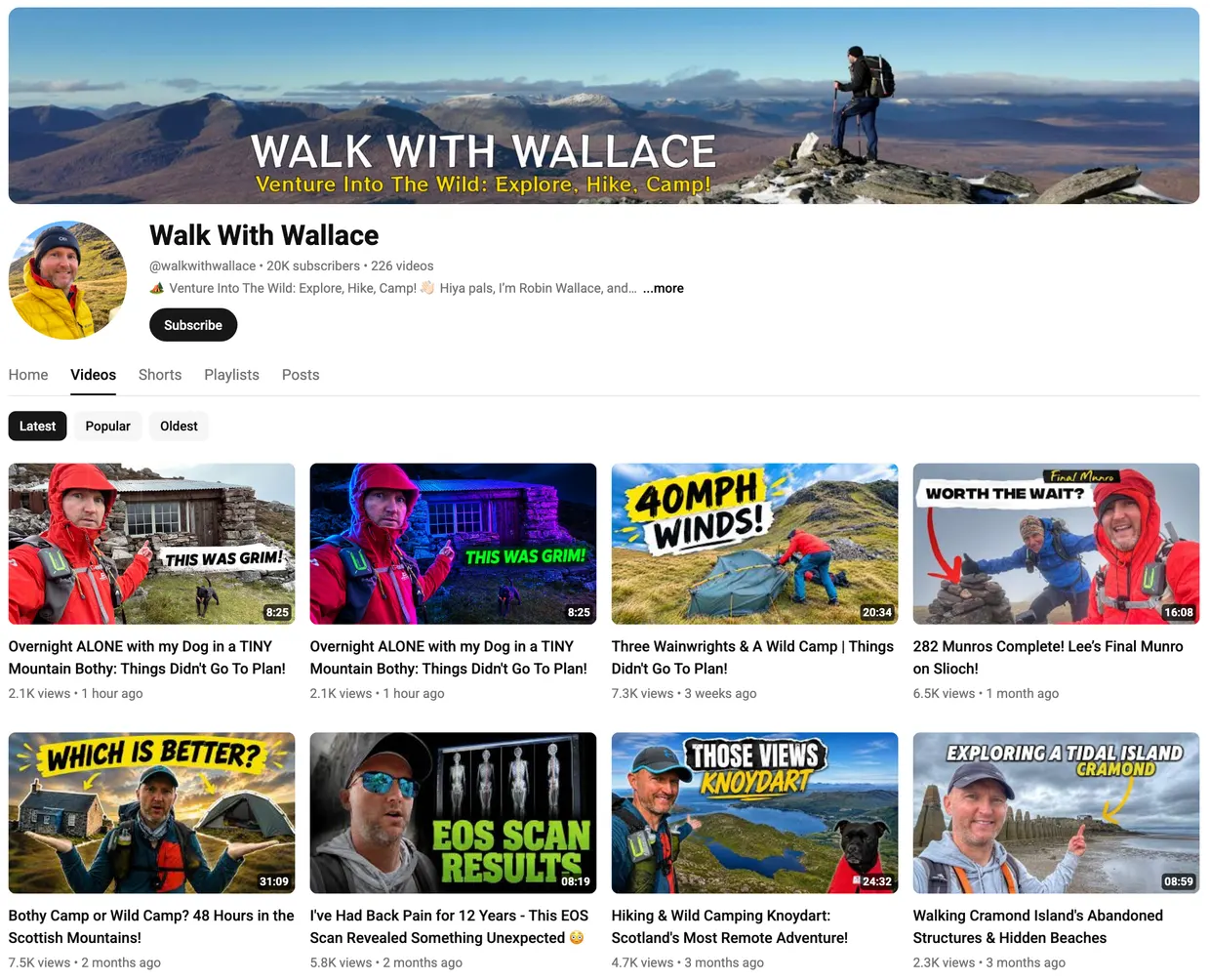
On its own, the neon version is a striking thumbnail. On his channel page, it looks like someone else's video. A subscriber scanning his Videos tab would spot the real one as his straight away, and might not spot the neon one at all.
ThumbnailPeak's AI critique didn't see a problem. It scored the neon version 97 and the real one 93. Scores move by up to about 5 points between runs, so that's a tie, but the point is that the critique judges one thumbnail at a time, against its title. It has never seen your channel. Whether a thumbnail fits your channel is something only your channel page can show you.
Consistent, but not the same
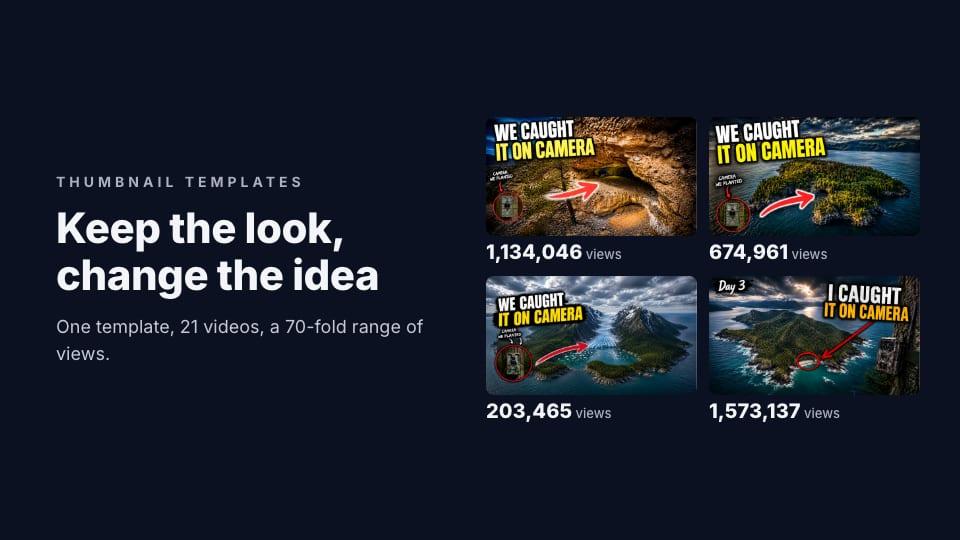
The opposite problem is a new thumbnail that looks too much like an old one. Walk With Wallace's grid has several thumbnails with a stone hut, his face and an arrow pointing at it: "FIRST EVER BOTHY NIGHT", "CAN'T EXPLAIN IT", "DISTURBED AT 2AM!". A subscriber who has seen one may take the next for a video they've already watched.
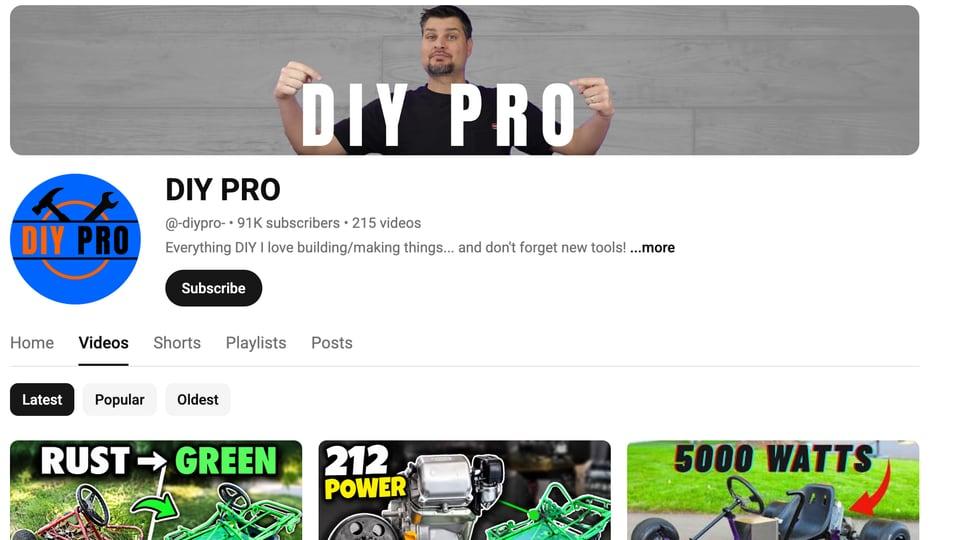
The fix is to keep the look and change the picture: a different place, a different moment, a different promise in the label. Channel preview's Shuffle button moves your new thumbnail into the grid among your real ones, so you can see whether it stands out from its neighbours or blends in. Our Channel preview guide shows a shuffle that put a new go-kart thumbnail right under an old video built the same way.
How to build a thumbnail look
- Pick two or three things to keep the same. Your face, one colour, one font or label style, or one kind of shot. Two or three is enough to be recognised. More than that and every thumbnail starts to look the same.
- Make them big enough to see at 160 pixels wide. A face, a colour block or a big label can be seen at that size. A small logo can't.
- Change everything else every time. The place, the moment, the words. That's what tells a subscriber this is a new video.
- Save the look as a template, not the picture. Keep the font, colours and label style; start each thumbnail from a new photo. Our guide to thumbnail templates covers how far a template should go.
- Check it on your channel page before you upload. Channel preview shows it beside your real uploads, and Shuffle shows it among them. Then critique the one you pick, to check what a stranger will see in their feed.
If you make thumbnails with ThumbnailPeak's AI thumbnail generator, you can attach one of your own thumbnails as a style template and tick what to borrow from it: layout, colour, text style, lighting. It takes the look, never the old thumbnail's words or picture.
Frequently asked questions
What is thumbnail branding on YouTube?
It's a set of choices you make the same way on every thumbnail, such as your face, a colour, a font or a kind of label, so viewers recognise your videos before they read your channel's name.
Should all my thumbnails look the same?
They should share a look, not a picture. Keep two or three things the same and change the place, the moment and the words, or subscribers may take a new video for one they've already seen.
Should I put my logo on my thumbnails?
A small logo is usually unreadable at the sizes YouTube shows thumbnails, as small as 160×90 on a phone's channel page, and it takes space from your picture. A consistent face, colour or label style does the same job at any size. If you do add a logo, keep it out of the bottom-right corner, where YouTube shows the video's length.
How can I see how a new thumbnail looks on my channel page?
ThumbnailPeak's Channel preview loads your real channel page with your new thumbnail pinned at the top of your Videos tab. Upload the thumbnail on the thumbnail tester, type your @handle and click Channel preview. It's free and needs no account.
How we did it: the 3,523 channels are those in ThumbnailPeak's Breakouts sample on 22 October 2026 with a video published 2 to 20 October at three times or more its usual views, and four recent ordinary uploads (0.5 to 1.5 times its usual views). We compared thumbnails at 640×360 with Apple's Vision image feature prints, on our own computer; it measures how alike two pictures look overall, subject and style together. Words, faces and colours were measured as described in our post on how much text a thumbnail needs. Walk With Wallace's view counts are from YouTube on 22 October 2026, and his videos are published under CC BY 3.0. The neon version was made with ThumbnailPeak's Edit in one request; both versions were critiqued once with the video's title on 22 October 2026. The channel page was loaded in ThumbnailPeak's Channel preview the same day.